Effortless Remote Printing for Any User
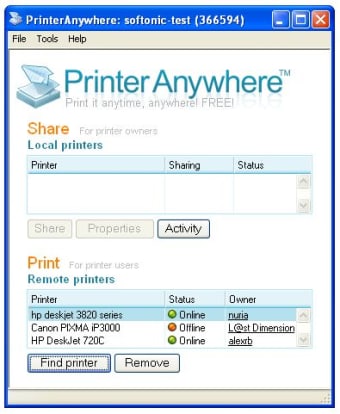
PrinterShare, developed by Dynamix Software, is a free and premium printing utility that enables users to print documents from one device to another over the Internet or a local network. It supports Windows, macOS, Android, and iOS, making it useful for remote workers or those managing multiple devices. By linking printers through the PrinterShare client app, users can send print jobs to connected printers from virtually anywhere with Internet access.
Top Recommended Alternative
A Smarter Way to Manage Your Printing Needs
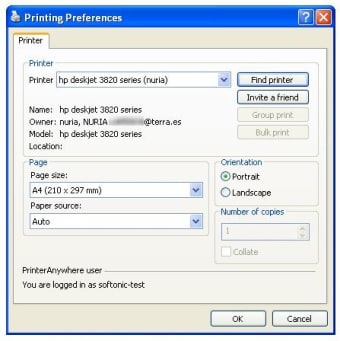
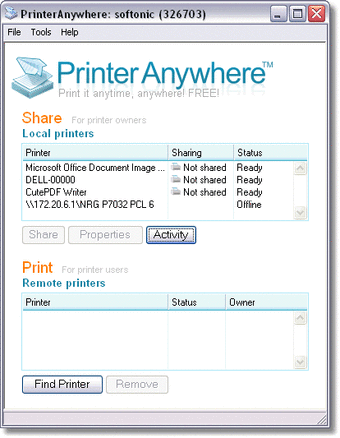
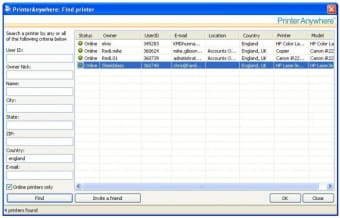
PrinterShare simplifies printing by supporting multiple file formats, including PDF, DOC, and JPG, and by offering direct printing over Wi-Fi, Bluetooth, or USB on compatible devices. Its auto-discovery feature detects printers on the same network, streamlining setup even for less technical users. The interface is clean and intuitive, allowing easy management of local and remote printers alike.
Convenience Without the Hassle
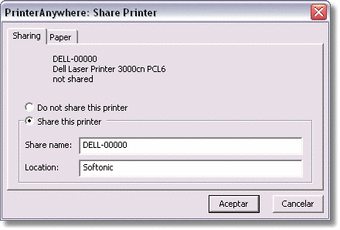
Remote printing is PrinterShare’s standout advantage. Once both computers have the desktop client installed and linked, users can print to a distant printer as easily as a local one. This makes it ideal for mobile professionals, travelers, and home-office setups. While local printing works immediately, remote printing requires a PrinterShare account and a stable Internet connection. The free version offers limited functionality—such as test prints—while unlimited printing is unlocked through a premium license or in-app purchase.
Evaluate Your Printing Scenarios
Despite its flexibility, PrinterShare isn’t perfect. Regular users who have constant access to local printers may prefer a direct USB or Wi-Fi setup. Performance depends on connection stability and whether the remote computer is online to receive print jobs. Security-conscious users should note that documents are transferred through the Internet, so keeping software updated and limiting shared access is advised.
Focused and Effective for Remote Printing Needs
PrinterShare remains one of the most practical options for remote and mobile printing across multiple platforms. Its balance of accessibility and feature depth makes it well-suited for casual users or remote professionals who need flexible printing on the go. While setup and licensing introduce minor friction, its cross-device reliability and format compatibility make it a valuable utility for remote workflows.